Brother P-Touch Label Designer
A self-hosted web service for designing and printing labels on Brother QL label printers. Features a responsive web GUI with live preview, font selection, label size configuration, and direct USB/network printing. Deployed locally via Python or Docker for zero-cost label printing across the office.
Label Designer Interface
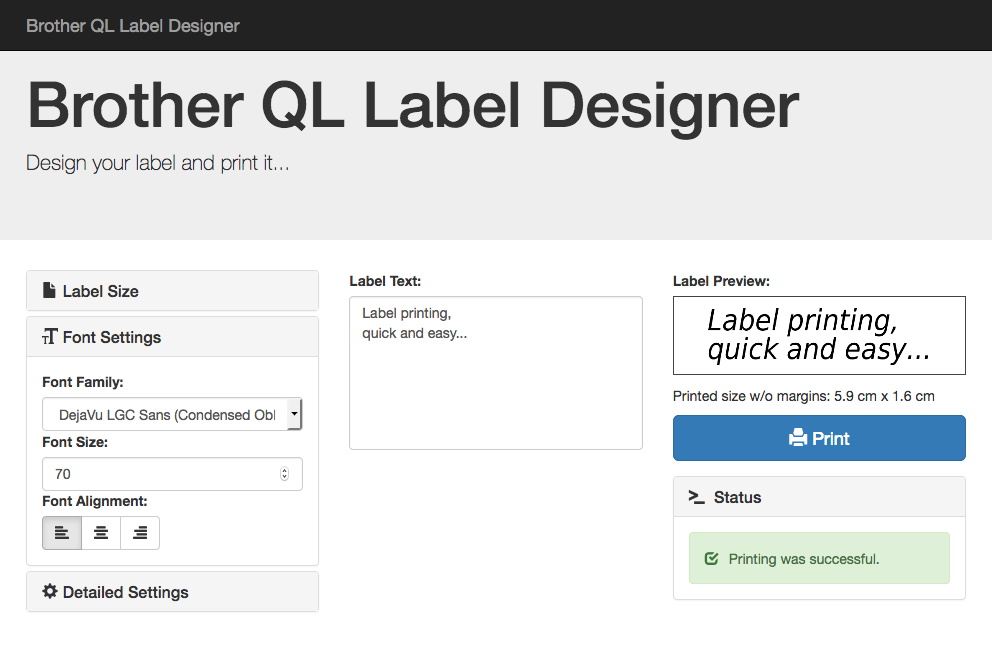 Desktop Label Designer
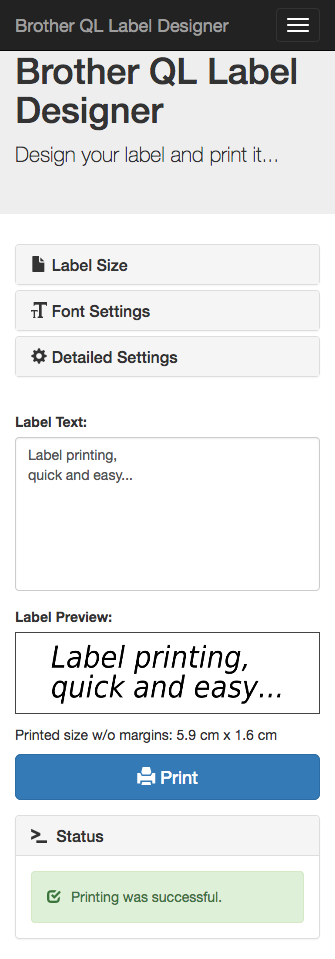 Mobile-Responsive Design
Key Features
Web GUI Label Designer
WYSIWYG label design in the browser with live preview. Type your text, pick a font and size, and see exactly what will print before sending it to the printer.
REST API
Programmatic label printing via the /api/print/text endpoint. Integrate label printing into any workflow, script, or automation pipeline.
Font System
Auto-detects all system fonts via fontconfig with full TTF/OTF support. Every font installed on the host machine is instantly available in the label designer dropdown.
Multi-Printer Support
Compatible with QL-500 through QL-1060N models. Connects via USB for local printers or TCP for network-attached Brother QL printers.
Docker Ready
Pre-built Docker image for one-command deployment. Run docker pull and you are printing labels in under a minute.
Label Size Config
Supports all Brother QL label sizes from 12mm to 62mm, including both die-cut and endless (continuous) roll formats.
System Architecture
The browser GUI and REST API both feed into the same print pipeline. Text is rendered into a label image using PIL/Pillow with the selected font, size, and alignment. The Brother QL SDK converts the image into the printer's raster instruction format and sends it over USB or TCP.
API Usage
Print labels programmatically with a single HTTP GET request. Pass your text, font size, and font family as query parameters.
curl "http://localhost:8013/api/print/text?text=Hello%20World&font_size=100&font_family=Helvetica"Project Stats
Downloads & Resources
Access the source code and Docker image to run the label designer on your own machine.
Source Code
Fork/deployment of the open-source brother_ql_web project. Clone, configure your printer model and label size, and start printing.
View on GitHubDocker Image
Pre-built container image for one-command deployment. Mount your USB device and start printing in seconds.
docker pull pklaus/brother_ql_web