BrokerBridge Trading System
A sophisticated trading automation system that bridges TradingView's powerful technical analysis capabilities with Binance US's trading platform. BrokerBridge enables traders to execute strategies automatically, eliminating manual intervention and emotional decision-making while ensuring consistent execution of trading rules.
Built with Python and Flask, the system provides a secure web interface for managing API keys, monitoring trades, and configuring trading parameters. It includes robust error handling, automatic retry mechanisms, and real-time notifications through Telegram integration.
Why BrokerBridge?
The inspiration for BrokerBridge came from personal experience with cryptocurrency trading and the challenges of executing strategies consistently. While TradingView offers excellent analysis tools and Binance provides a robust trading platform, the manual process of translating signals into trades was time-consuming and prone to human error.
Time Efficiency
Manual trade execution often meant missing optimal entry and exit points. BrokerBridge automates this process, ensuring immediate execution when signals are generated.
Emotional Control
By removing human emotion from trade execution, the system helps maintain discipline and strict adherence to trading strategies.
Performance Tracking
The need for comprehensive trade history and performance analytics led to building robust tracking and reporting features.
Building BrokerBridge
Project Inception
- Initial concept development
- Research on API integrations
- Basic webhook handler implementation
Core Development
- Basic trading functionality
- Error handling implementation
- Security features development
Interface & Monitoring
- Web interface development
- Trade history tracking
- Performance analytics
Testing & Optimization
- Extensive testing with paper trading
- Performance optimization
- Error recovery improvements
Production Release
- Live trading implementation
- Documentation completion
- Final security audits
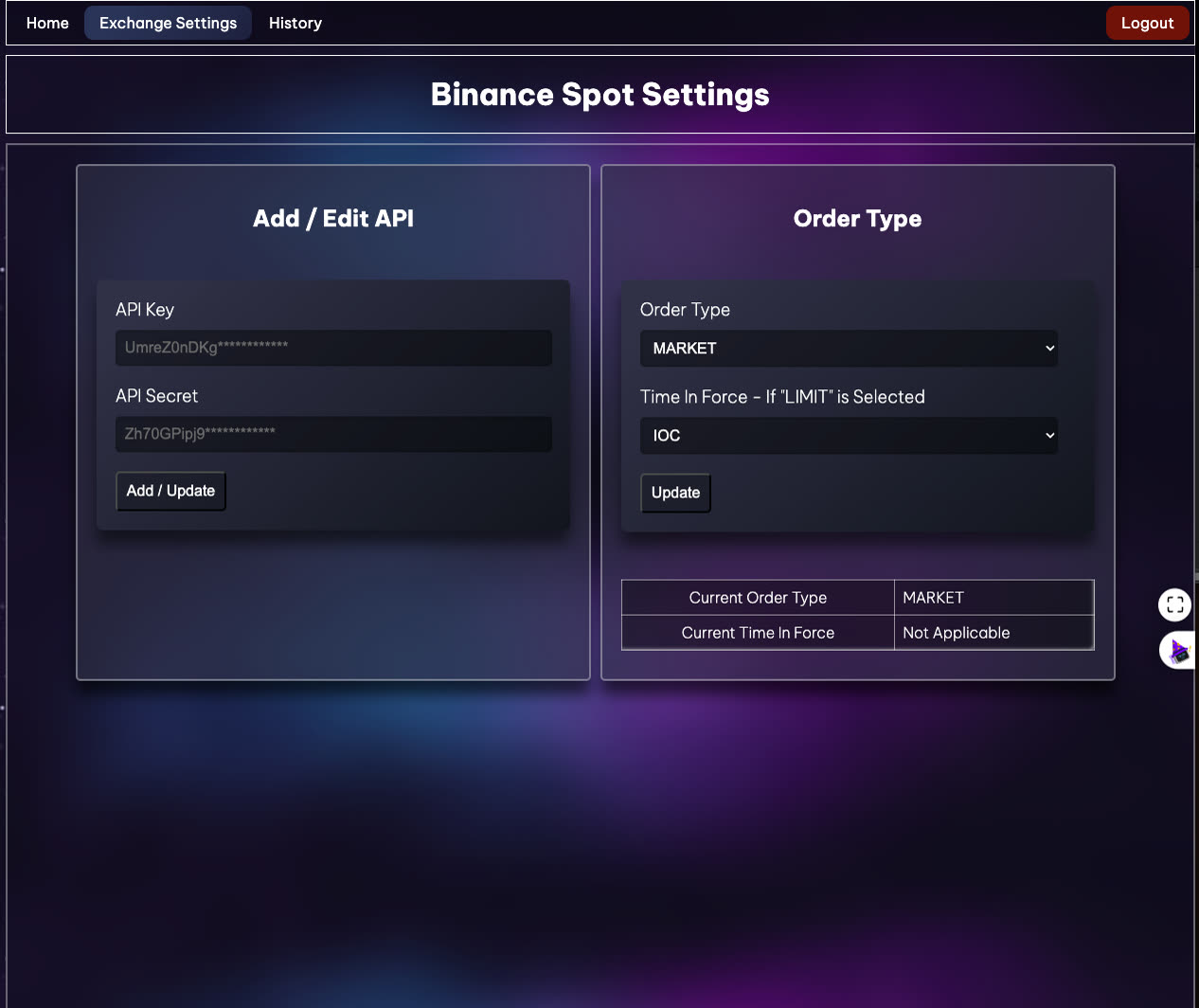
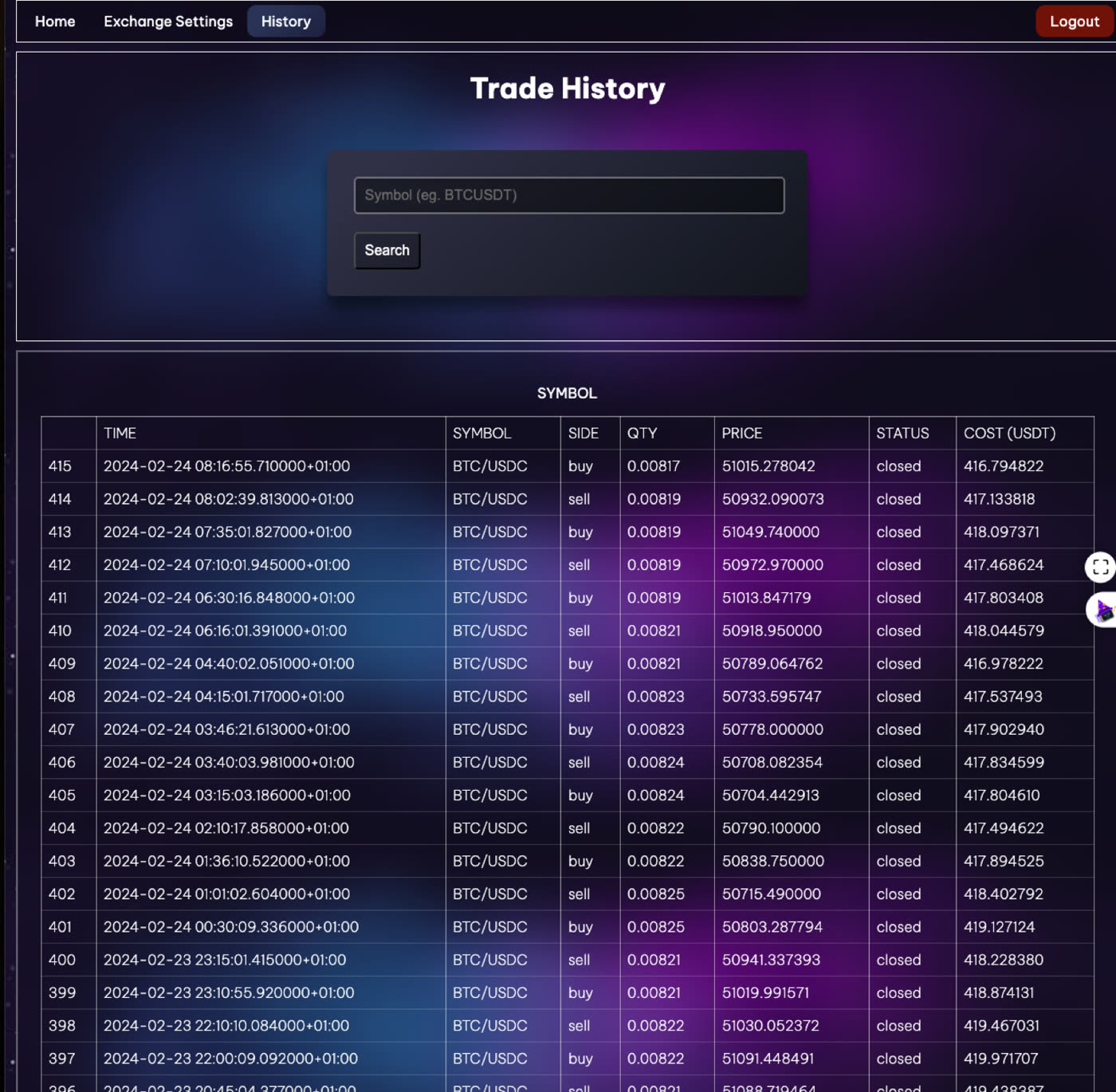
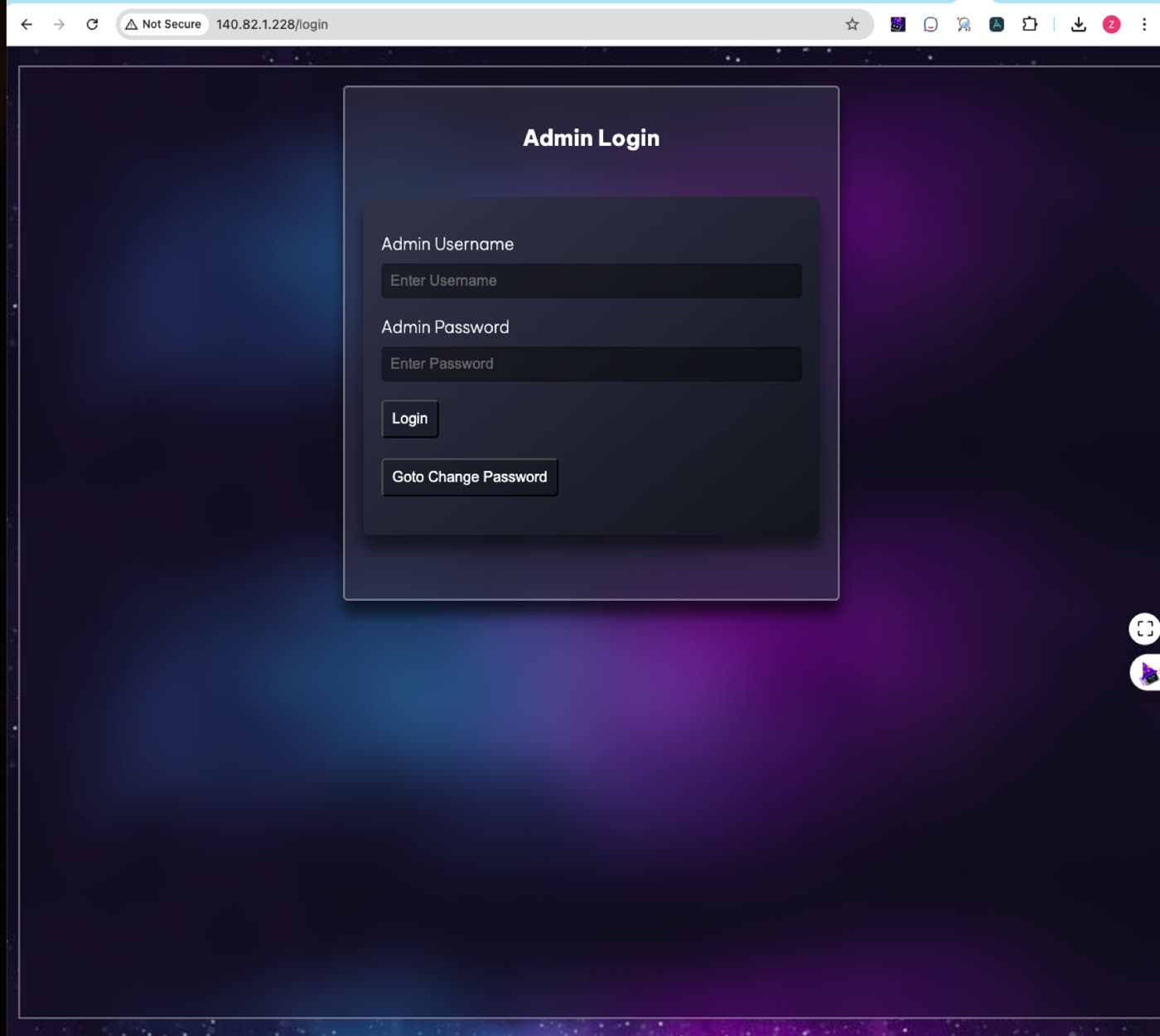
Interface Screenshots
The BrokerBridge interface provides a comprehensive view of your trading operations, from account management to real-time trade execution and monitoring.
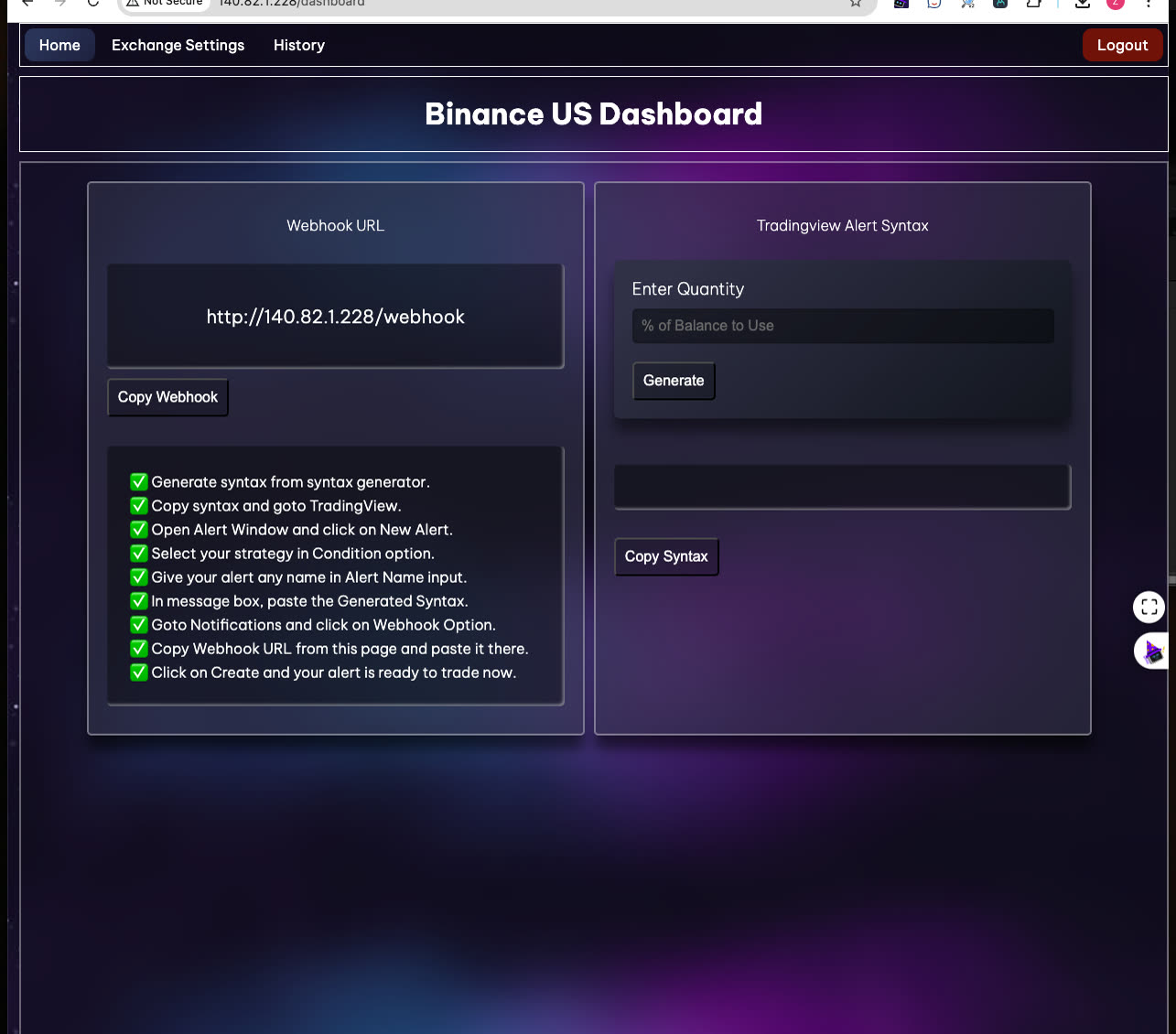
Dashboard
- Webhook URL configuration
- TradingView alert syntax
- Real-time status updates
Exchange Settings
- API key management
- Order type configuration
- Trading parameters
Trade History
- Detailed trade logs
- Performance metrics
- Historical analysis
Security
- IP-based authentication
- Secure credential storage
- Session management
Architecture Overview
BrokerBridge employs a modular architecture that separates concerns and ensures scalability. The system is built around a core webhook handler that processes incoming signals and coordinates with various components for trade execution, monitoring, and notification.
Webhook Handler
Processes incoming TradingView alerts and validates signal format
Signal Processor
Parses trading signals and prepares order parameters
Trade Monitor
Tracks order execution and updates trade history
Notification System
Sends real-time alerts via Telegram integration
Code Overview
The codebase is organized into modular components, each handling specific aspects of the trading system. Below are key code snippets showcasing core functionality.
# trades.py - Core trading functions
def future_buy_trade_long(user_1, symbol, params, username_1, quantity, output):
    try:
        user_1.create_market_buy_order(symbol, quantity, params)
        output.append(f'Long Executed Successfully')
        output.append('------------------------------')
    except Exception as e:
        output.append(f'{username_1} ==> {e}')
# Retry logic implementation# syntax_processor.py - Signal processing
def process_syntax(data):
symbol_name = data['symbol'].upper()
symbol = get_symbol_name(symbol_name)
action = data['action']
price = float(data['price'])
quantity = round(float(data['qty']), 3)
market_position = data['market_position']
return symbol, action, price, quantity, market_position# telegram_messages.py - Alert system
def buy_long_alert(readable_time, side, symbol, price, rPnl, margin_asset,
commission, commission_asset, nPnL, status, l_emoji, qty):
message = (f' Exchange : <strong>Binance</strong>\n'
f'Date/Time : <strong>{readable_time}</strong>\n'
f'Symbol : <strong>{symbol}</strong>\n'
f'Side : <strong>BUY OPEN</strong>')
send_alert(token, channel, message)Getting Started
Follow these steps to set up your own instance of BrokerBridge. Make sure to configure all components properly for secure and reliable operation.
# Install dependencies
pip3 install -r requirements.txt

# Required packages:
# - flask
# - requests
# - datetime
# - ccxt
# - flask_session
# - pandasOpen Telegram and search for @BotFather. Create a new bot with the /newbot command. Copy the provided API token. Create a new channel and add the bot as admin. Configure the webhook URL for notifications.
admin_username = 'admin'
admin_password = 'your_password'

binance_api_key = 'your_api_key'
binance_api_secret = 'your_api_secret'

binance_order_type = 'MARKET'
binance_timeInForce = 'GTC'

tg_token = 'your_telegram_token'
tg_channel = 'your_channel_id'# Start the server
python3 main.py
# Server will run on port 80
# Access dashboard at http://localhost/loginDownloads
Access the complete source code, documentation, and configuration files for BrokerBridge.
Source Code
Complete Python implementation including all components and documentation.
Download SourceDocumentation
Detailed setup guide, API reference, and configuration instructions.
Download PDF